
QR code for event photos: how to create and use it
What it is, how it works, and where to place the QR code so your guests contribute their photos.
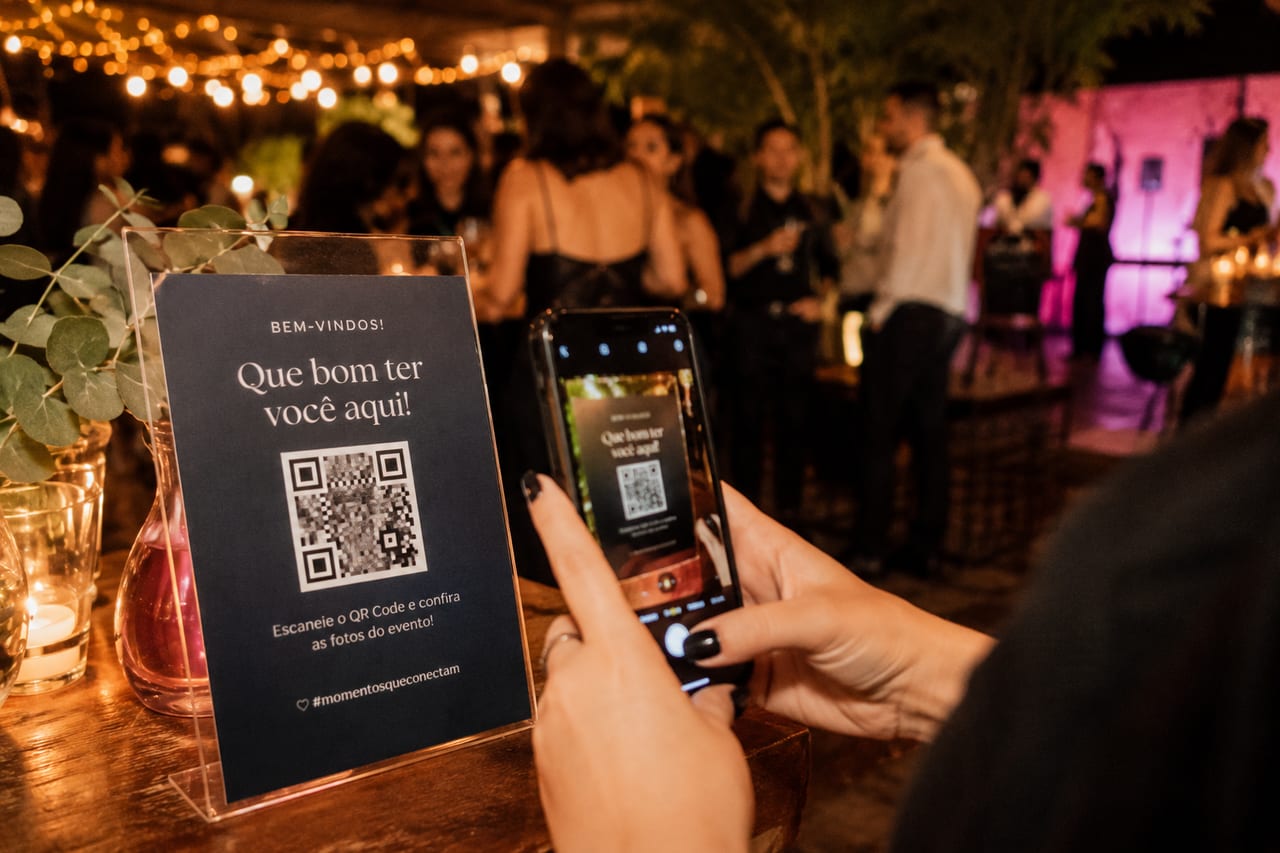
A QR code for event photos is one of those resources that looks like technology but works through simplicity. The guest points their phone, a page opens in the browser, they choose photos from their gallery, and that's it. No app to download, no account to create, no need to ask anyone for help.
How it works in practice
The QR code is the shortcut to the collective album link. When scanned, it opens directly in the phone's browser a page where guests can submit photos and boomerangs. The host sees everything in one place, at full resolution, organized by who sent each photo.
The logic is the same as scanning a restaurant menu: zero installation, zero registration. Less friction means more participation.
Where to place the QR code for maximum participation
- On the tables: where people sit longest and already have their phones out.
- At the entrance: catches guests when they arrive excited, before they get distracted.
- On the digital invitation: early notice creates capture intention before the event.
- On a decorative sign or frame: doubles as decor and instruction.
- On the badge or tag (corporate events): each participant leaves with the access in their pocket.
Best practices for getting it right
A QR code alone explains nothing. It needs a clear invitation next to it: "contribute your event photos", "your photo goes into the collective album", "scan and capture the moment". The message doesn't need to be long, but it needs to exist. People don't scan QR codes without knowing what they're for.
Another tip: a printed QR code works better than one sent by WhatsApp. On paper, it's available for the whole event. On WhatsApp, it disappears in the flood of messages.
The QR code isn't technology. It's an invitation printed inside a square.
When you create an event on FotoMemoris, the QR code is generated automatically. Just print it, place it on the tables, and each guest already knows what to do: point, scan, and contribute their photos in full resolution. Try it at fotomemoris.com.br.